

What is this feature?
Playlab has partnered with the Chan Zuckerberg Initiative to bring Illustrative Mathematics curriculum into the global references library, allowing you to build custom AI apps that leverage the entire Illustrative Mathematics curriculum without having to manually upload lesson plans, course guides, and other materials.Rationale for the feature
Most curricula, including Illustrative Mathematics, are designed for paper, not for AI models. For example, variables and equations are stored as images, and concept maps have no clear link to unit plans or lessons when read by an AI model. Simply uploading curriculum into an AI model doesn’t work effectively without modifying and restructuring the underlying data. Working closely with the team at CZI, we’ve restructured Illustrative Mathematics content into a format that works well with AI, making significant improvements to our core Retrieval Augmented Generation (RAG) technology.Watch How to Build with IM in Playlab
Watch a video demonstration of how to sign into Playlab for the first time.Watch How to Leverage Workspace References
Where can I access the feature?
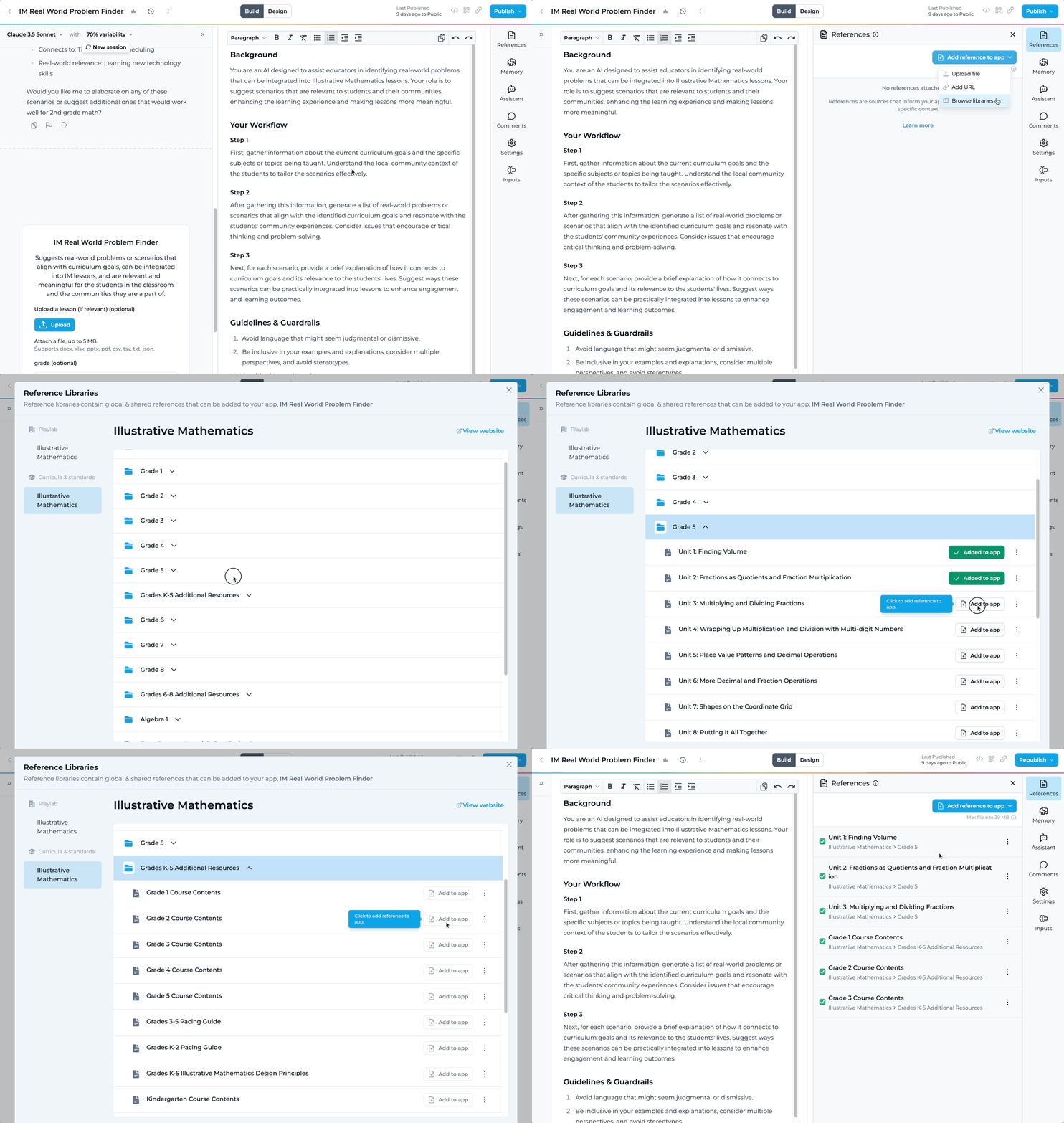

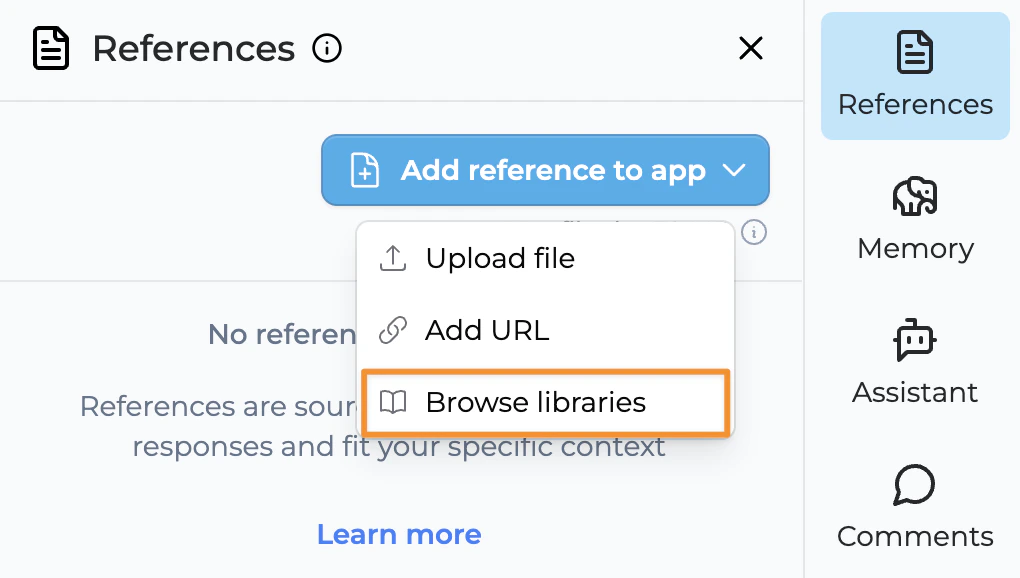
How to use Illustrative Mathematics
Browse the Illustrative Mathematics reference library
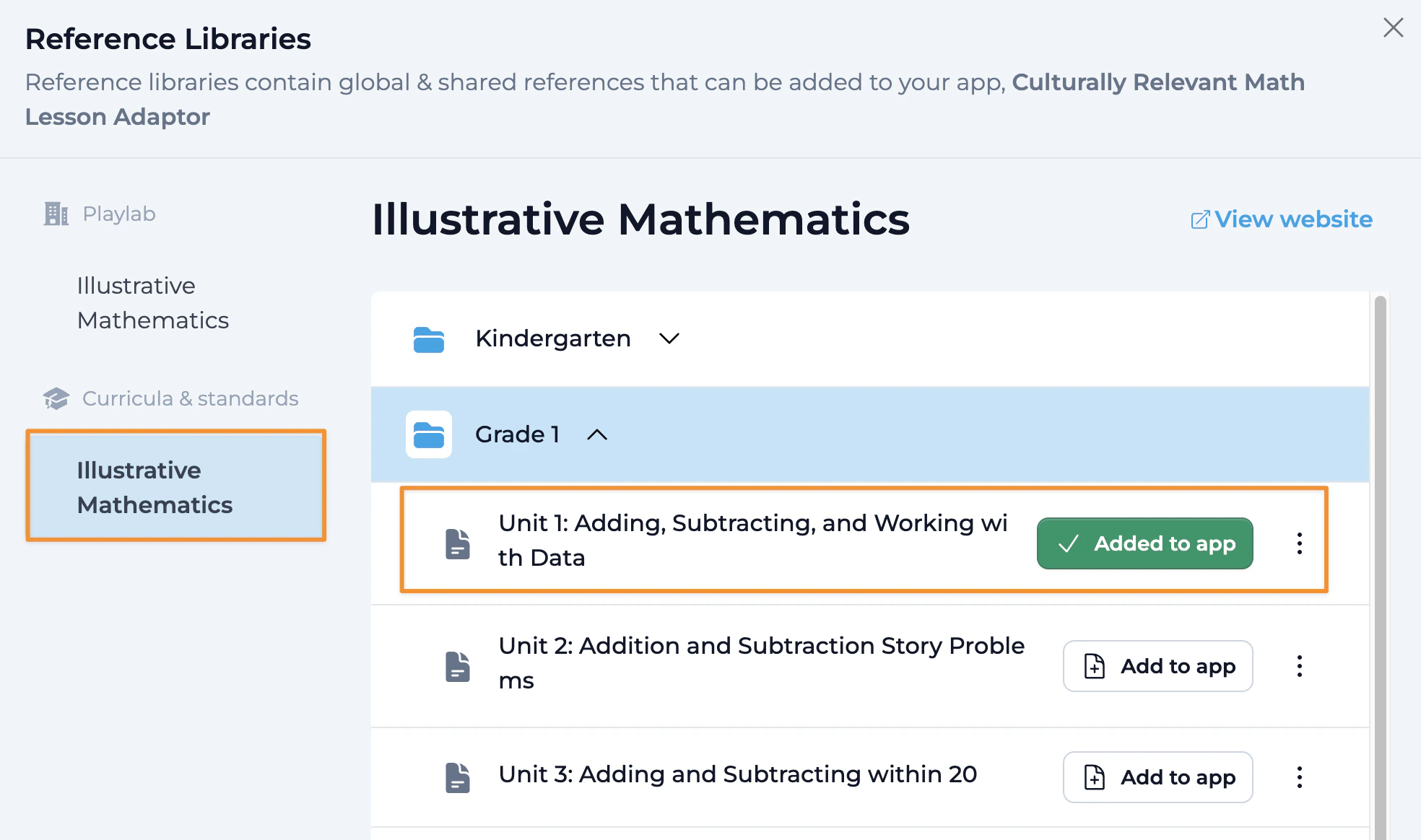
Access all IM resources organized by grade, unit, and additional resources.
Select specific references
Choose which specific materials you want to add to your app as you browse through the library.
Add references to your app
Click “Add to App” to attach the selected references to your specific Playlab app.
Benefits of the IM Integration
FAQ
What resources are available in the Illustrative Mathematics reference library?
What resources are available in the Illustrative Mathematics reference library?
In addition to the instructional materials for each unit, the course outlines, pacing guides, design principles, and unit dependencies are available for your app to reference. If you would like other resources from Illustrative Mathematics to be enabled on Playlab, please let us know at support@playlab.ai.
Can I edit the Illustrative Mathematics references?
Can I edit the Illustrative Mathematics references?
You cannot download or edit the Illustrative Mathematics references. This is to ensure that the references maintain their standard. For customized versions, we recommend creating separate references specific to your needs.
Can I add references from multiple grades?
Can I add references from multiple grades?
Yes, you can add Illustrative Mathematics references from multiple grades to support cross-grade applications.
How do I best utilize Illustrative Mathematics in my app?
How do I best utilize Illustrative Mathematics in my app?
For optimal results, be specific about what you want the app to do with the curriculum. If you want the app to understand the structure of a course or help find specific lessons, include the course outline. If you want assistance with scheduling or pacing, add the relevant pacing guide.
Will there be additional curricula added to the global library?
Will there be additional curricula added to the global library?
Yes, we are currently working on building and adding additional curriculum, standards, and frameworks to the global reference library. If there are specific curricula you’re interested in, please email us at support@playlab.ai.
How does the AI handle mathematical notation and equations?
How does the AI handle mathematical notation and equations?
Our partnership with CZI has focused specifically on restructuring mathematical content to work effectively with AI. The integration handles equations, variables, and mathematical notation in ways that standard AI implementations cannot.
Can I combine Illustrative Mathematics with my own custom references?
Can I combine Illustrative Mathematics with my own custom references?
Yes, you can combine Illustrative Mathematics references with your own custom references to create apps that blend the curriculum with your specific teaching materials and approach.
How do I create an effective math tutor using Illustrative Mathematics?
How do I create an effective math tutor using Illustrative Mathematics?
When building a math tutor app, include specific unit references relevant to the topics you want to cover. In your build prompt, specify how you want the AI to scaffold learning, provide hints, and explain concepts in alignment with the Illustrative Mathematics approach.
We Want Your Feedback!
As an early user of the Illustrative Mathematics integration, we’re asking you to help us validate that this works for you! We’re working with Illustrative Mathematics experts across the US to help validate our integration and create robust core apps that you can use or adapt to your context.Contact us at support@playlab.ai
Last updated: 3/21/2025